
What Do You Meme? Video Game Guide: Rules, Setup, Scoring
A practical guide to What Do You Meme? The Video Game: how a round runs, what the judge scores, how phones connect, and which settings fix a flat room.
What Do You Meme? The Video Game is the digital version of the card game where one photo card meets one caption card and a judge decides which pairing is funniest. The console or PC draws the photo on the TV, everyone else picks a caption on their phone, and the winner takes the round. That is the whole loop — the difficulty is in the room setup and in reading what your judge will laugh at.
If you have never hosted a match, read the step-by-step setup walkthrough→ first; it covers the mode menu, the room code screen and the first round in order. This page is the wider map: the rules that never change, the parts that do, and the mistakes that make a party fall flat.
What you actually do each round
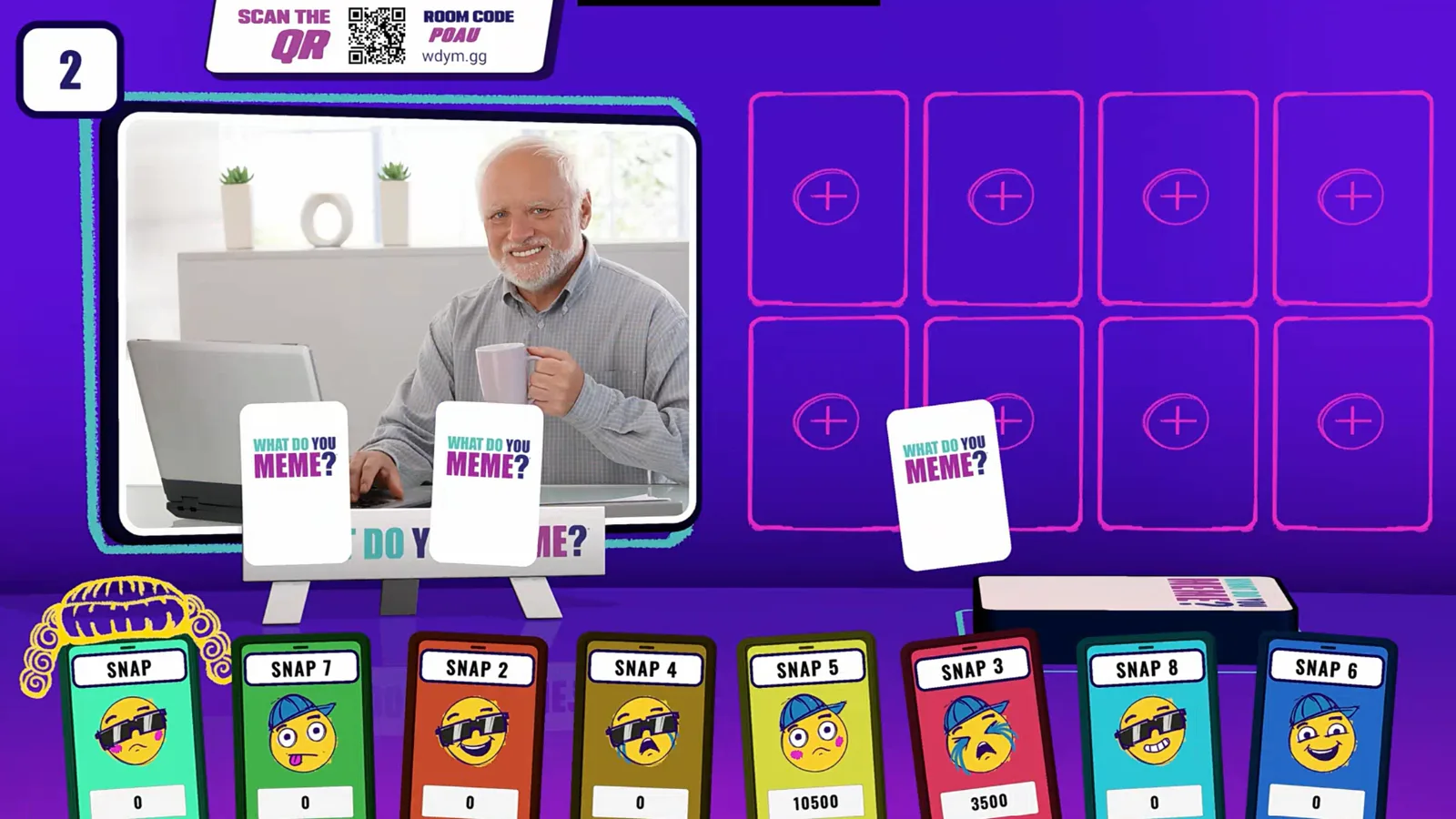
One player is the judge for the round. The TV shows a photo card — a meme template, a stock-photo disaster, a pet doing something stupid. Every other player gets a hand of caption cards on their phone, picks one, and locks it in. When the submissions are in, the judge sees the photo paired with each caption and picks a winner.
The winner is worth 1,500 points in the build we played, which is the number that appears next to the crowned card on the results screen. Scores carry across rounds and the player with the most points when the room stops wins the session. The judge role moves around the room, so everyone gets a turn at being the person nobody can please.
Two details matter more than they look. First, the judge does not submit a caption in the round they judge — they are choosing, not competing. Second, captions are hidden until the judge is deciding, which is why a phone screen is a bad place to peek from.
The judge is the whole game
Every complaint about the digital version traces back to this: there is no objective funny. The judge picks the card that makes them laugh, and a room that forgets this spends the night arguing about the rules instead of playing.
The practical consequence is that you are not writing a caption, you are matching a caption to a person. A safe absurd caption beats a clever one that needs explaining. If the judge is your friend's dad, the caption about a dog's haircut costing more than your own will land; the caption about a meeting running twenty minutes long might not. The judge rules page→ covers rotation, ties and the etiquette that keeps a judge from being mobbed.
Before you lock a caption, look at who is judging. The same photo card plays completely differently with a parent, a coworker or the friend who sends you unhinged voice notes at 2am. This is the single biggest skill gap between new and experienced players.
The five modes, and when each one works
The mode menu is the first thing you see, and it is worth thirty seconds of thought before eight people start shouting.
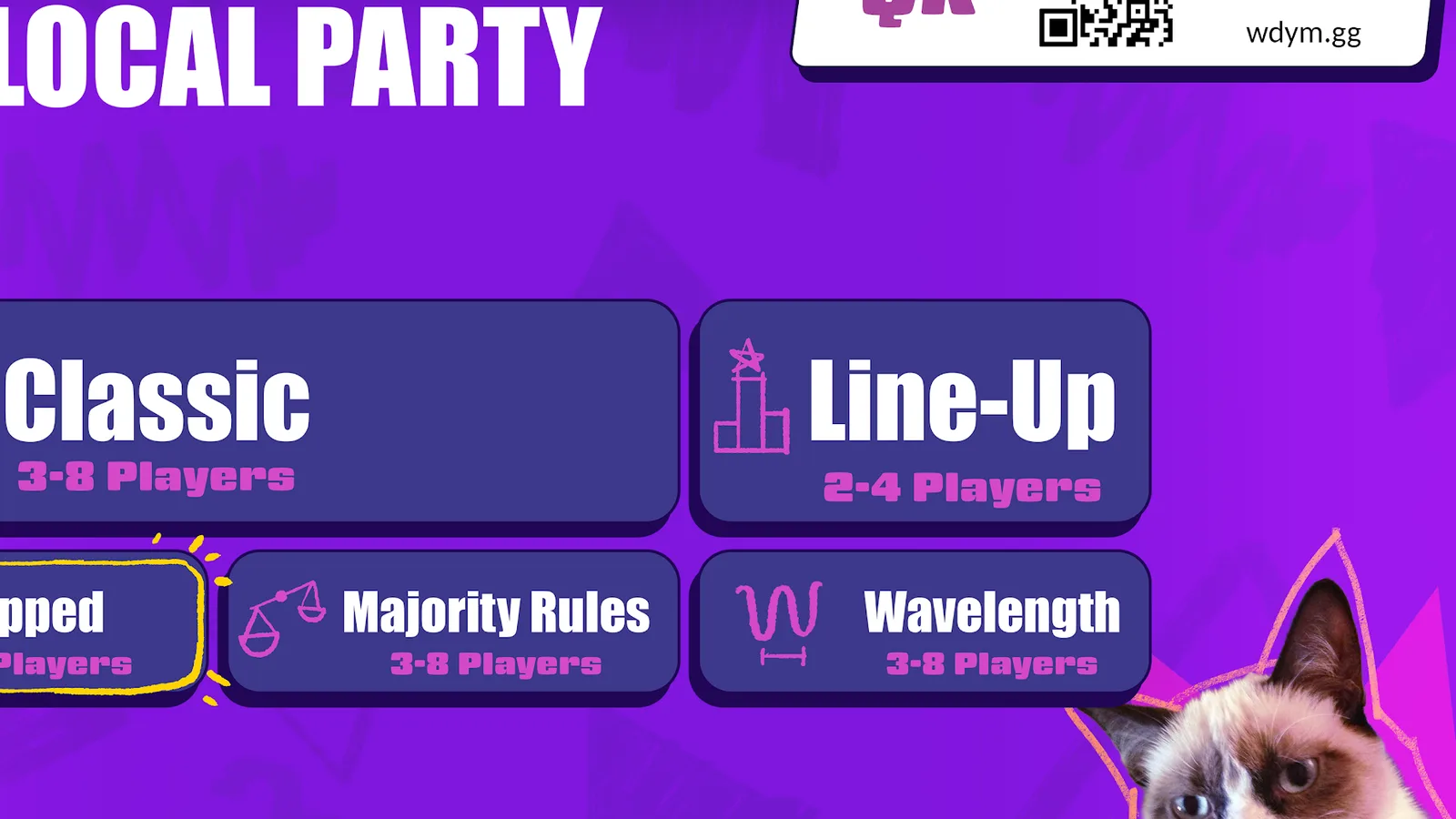
- Classic is the card game as described above, for 3–8 players. It is the right default for a mixed room.
- Line-Up is the small-group mode, listed for 2–4 players. It is what you switch to when only two or three people are staying up.
- Flipped reverses who does what, so the caption is fixed and players supply the image. It is the best change of pace after three Classic rounds.
- Majority Rules replaces the judge with a vote, which removes the "you have no taste" argument and makes bigger rooms faster.
- Wavelength asks the room to think as a group rather than compete for one person's approval.
The game modes breakdown→ explains player counts and the pacing of each, and there are separate pages for Flipped→, Majority Rules→ and Wavelength→ once you know which one your group likes.
Phones are the controllers, and that is the main setup risk
Nobody downloads an app. Each player opens a browser, goes to wdym.gg, types the four-character room code shown on the TV, and their phone becomes a hand of cards. The TV does the display work; the phones do the secret picking. A full room of eight phones on one screen is the intended picture, not a workaround.
That design is brilliant at a party and fragile in a basement. Phones need a working connection to the room, the code has to be typed correctly, and a phone that sleeps mid-round drops its hand. The phone controller setup page→ walks through the join sequence, while the controller troubleshooting page→ covers the phone that will not connect and the room code page→ covers codes that fail outright.
What the game does not have yet
The launch build is a same-room game. There is no built-in matchmaking, no lobby you can send to a friend in another city, and no crossplay between PlayStation and Xbox. The console versions shipped on 23 November 2026; the Steam page still lists November 2026 with a coming-soon flag at the time of writing.
Snap Finger Click has said online multiplayer and Twitch integration are coming as free post-launch updates. Until they arrive, remote groups use screen sharing on Discord or Twitch, or Steam Remote Play Together on PC. The online multiplayer status page→ tracks what is live, and the streaming setup page→ explains the workaround properly.
Settings that change how a night feels
Three options in the lobby do most of the work:
Hand size controls how many captions sit on each phone. A bigger hand means more choice and slower turns; a smaller hand means faster, more desperate picks. Six is a good starting point for a chatty room.
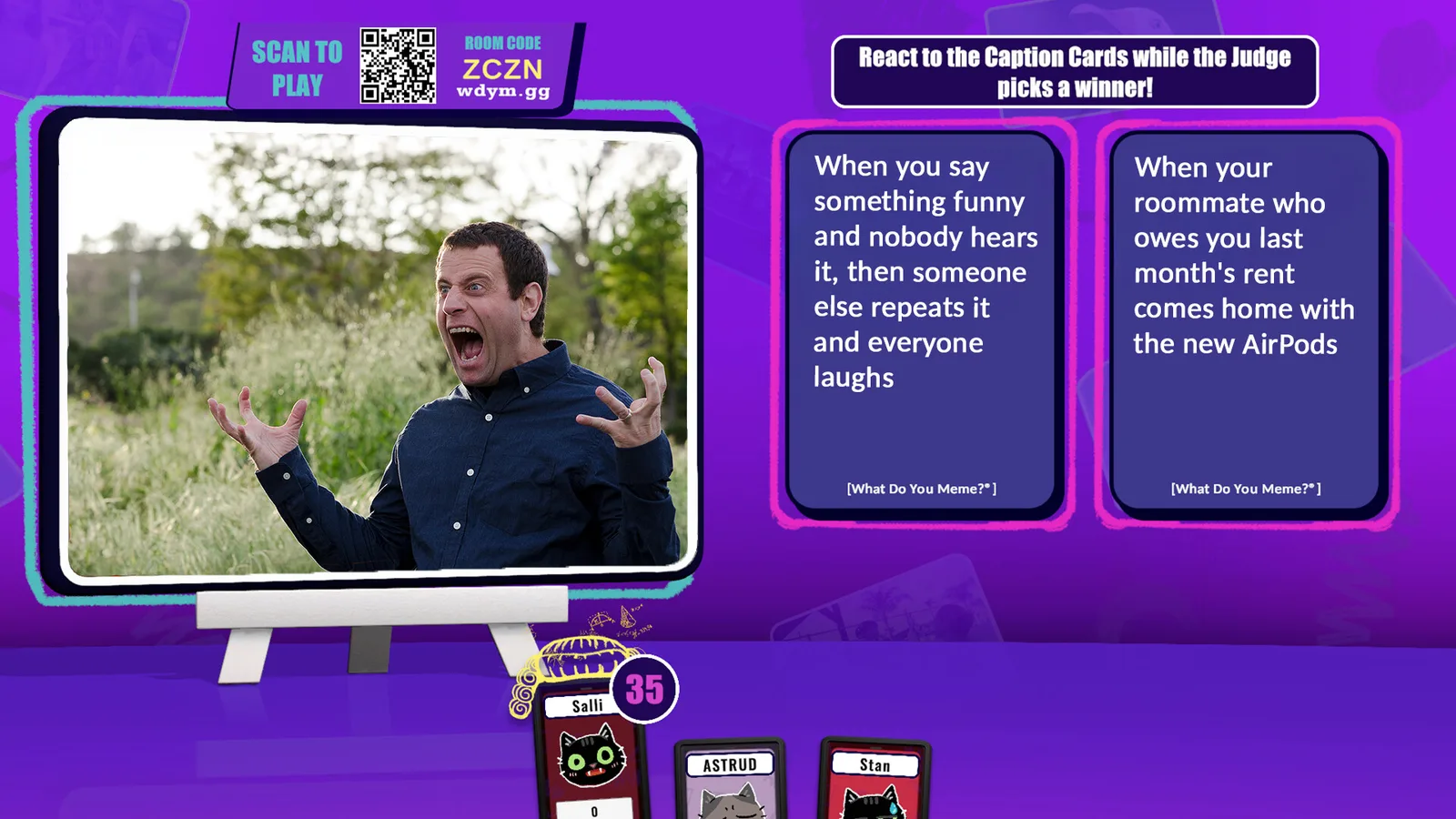
Timers put a clock on submissions. The timer badge on screen counts down from 35 seconds in the default setup, and turning it on is the difference between a four-round night and a ninety-minute one.
Hall of Shame keeps the worst submissions visible instead of letting them vanish. It is a comedy setting, not a rules setting, and it is the reason a bad caption becomes the running joke for the rest of the night. The settings page→ explains all three and when to change them.
A first-night plan that works
Set up the TV, connect the phones and run one Classic round with the default settings before touching anything. Watch where people get confused: usually it is the judge not realising they are skipping a turn, or a player not seeing their hand. Fix that, then raise the hand size and turn the timer on.
Keep the first session to Classic and Majority Rules. Save Flipped and Wavelength for the second night, when the group already trusts the loop. If someone at the table is under the age rating, read the age rating page→ before you start — the base deck is broader than the box suggests, and the After Hours pack is explicitly adult.
FAQ
How many people can play What Do You Meme? The Video Game? Up to eight in a room, with phones as controllers. Classic, Flipped, Majority Rules and Wavelength are listed for 3–8 players; Line-Up is the 2–4 player mode. The Xbox listing describes 3–8 local players.
Do I need a PlayStation Plus or Xbox subscription? Not for same-room play on the console you already own. The PS Store page lists online play as required, but the launch build is a local multiplayer game; subscriptions only matter once the online update arrives.
Is the video game the same as the card game? The loop is the same and the base set uses 1,000 caption cards and 250 photo cards, but the digital version adds modes, timers, automatic scoring and a Hall of Shame. It is an adaptation, not a scan of the box.
Can I play it on PC right now? The Steam page exists and lists November 2026, but the store still shows the game as coming soon. Check the platforms page→ for the current status before buying.
Official rules and store pages
Official source: Snap Finger Click game page ↗, Steam store page ↗ and PlayStation store listing ↗.